
Search Engine Roundtable reported on September 16 that Google Ads had posted a new help document, “Multi-source conversions in Google Ads (beta)“; the page itself carries no publication date, and the underlying feature’s rename to “multi-source conversions” was reported separately back in August. The page describes supplementing a Google tag conversion with “additional conversion data uploaded with Data Manager or Data Manager API from your backend systems, like a CRM or order database.” Google’s companion FAQ page draws the line for Google Analytics users directly: “This feature is currently designed specifically for Google Ads web tags. If you track conversions using Google Analytics, the data merging and deduplication process must happen within Google Analytics itself before the data is imported into Google Ads.”
What are multi-source conversions in Google Ads?
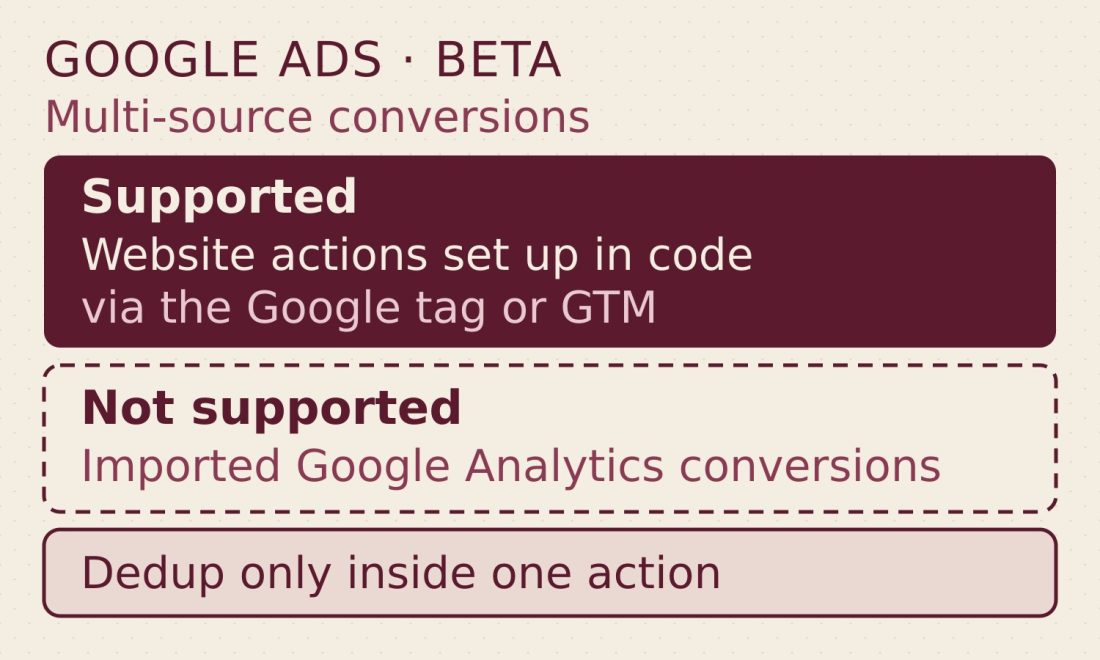
Multi-source conversions is a beta feature that lets advertisers connect a backend data source, like a CRM or order database, to a Google Ads website conversion action set up in code with the Google tag or Google Tag Manager. Google Ads matches events between the tag and the uploaded source with a Transaction ID, deduplicating and updating values only inside that one conversion action. Imported Google Analytics conversions and URL-based (codeless) conversion actions are not eligible.
The Eligibility Line That Rules Out GA4 Imports
The help page states the requirement plainly: “Connecting an additional data source is currently available to Google Ads website conversion actions that are set up manually using code via the Google tag or Google Tag Manager. It isn’t available for imported Google Analytics conversions or URL-based conversion actions.” The FAQ lists three unsupported types, each with its own stated reason, and ties the coded-tag requirement to the Transaction ID: the system “relies on a unique Transaction ID to accurately match and deduplicate these events.” A separate line, in the best-practices section, is about the uploaded data rather than the conversion action: without naming a product, it says the backend source shouldn’t be “an export from another tag-based analytics system, which may also be affected by signal loss.”
| Conversion action type | Supported for an additional data source? |
|---|---|
| Website conversion action set up manually in code via the Google tag or Google Tag Manager | Yes |
| Imported Google Analytics conversion | No. Merge and dedup “must happen within Google Analytics itself” first |
| URL-based (codeless) conversion action | No. Can’t dynamically capture a Transaction ID |
| Non-website conversion | No. Needs a “tag + offline” combination |
The Trap in Building a Second Action
An account whose only conversion action is a GA4 import has no eligible destination for a backend source. The obvious workaround, a new website conversion action wired to the Google tag, carries its own warning: “If you set up a new conversion action for this process, you must not include both the original conversion action and the new one with additional data sources in the same campaign goals (for example, in a ‘Goal Set’). Google Ads only removes duplicate data within a single conversion action… not across two different conversion actions. If both are active in the same campaign, a single transaction may be counted twice.” Google’s best practice is adding the source to an existing action, not creating one. The FAQ discourages testing with a duplicate action, and where a side-by-side comparison is unavoidable, it says to “expect a temporary reporting gap where the new action shows fewer conversions while Google’s conversion modeling calibrates,” and advises: “allow a 28-day warm-up period, use the ‘All conv. (by conv. time)’ metric, and expect minor variations.”
What Happens to an Uploaded Row
Once a source is connected, Google’s own table sets out four outcomes, keyed to whether the uploaded Transaction ID matches an event the tag already recorded.
| Match status and field | What Google Ads does |
|---|---|
| Matched transaction_id, conversion value | Updated: the uploaded value “overrides the original value recorded by the tag.” Value updates are disabled during the initial 14-day trial. |
| Matched transaction_id, user-provided data | Supplemented if missing: added when the tag captured the conversion but no user-provided data |
| Matched transaction_id, other fields (e.g. GCLID) | Ignored; the tag’s original values stand |
| No matching transaction_id | Creates a new conversion event; during the action’s initial 14-day trial it appears in reporting but isn’t used for bidding, then becomes biddable automatically |
A value of “0” is valid (for example, for a full refund); Google says to “Use NULL if you do not want to update a specific record.” The 14-day trial runs per conversion action, starting “when the first offline data upload is received for each conversion action,” and existing tag-source conversions keep bidding as usual throughout it.
Required Fields and the Cents Trap
Two fields are mandatory on every row: a Transaction ID (“the key used to deduplicate events,” matching “what is sent through the tag”) and a conversion date and time. At least one attribution identifier is also required: hashed user-provided data or a click ID such as GCLID, GBRAID or WBRAID; Google’s attribution table also lists email, phone and IP address, noting “IPv6 provides the best accuracy for user agents, though IPv4 is also accepted.” Without one of those, address fields become mandatory, and unhashed customer data “will be hashed automatically.” This document describes GBRAID as helping “measure app conversions driven by ad campaigns on iOS.” Google’s Analytics documentation, which we cited when covering GA4’s diagnostic for missing GBRAID and gad_ parameters, groups GBRAID with its aggregate identifiers.
Google also warns about units. The uploaded value “overrides the Google tag if the value or currency differs,” but the two sides must agree on units first: “Uploading 1000 (cents) will be interpreted as $1,000, significantly inflating your conversion value,” since “the system doesn’t automatically convert units.” GA4’s campaign data import made a comparable change on July 28: cost imports now require an explicit currency field, while imports already in place keep assuming the property’s currency. It is a separate product and a separate change.
Consent, the 55-Day Limit and the Overcount Alert
Consent is set row by row: an advertiser can “specify consent values per data row,” and “only consented events will be used to supplement conversion data”; rows with no consent data fall back to “account level consent defaults.” The FAQ discourages backfilling history: uploading a year of past purchases “won’t improve your current campaign performance,” and value updates for transactions the tag already recorded “will only be processed for conversions that occurred up to 55 days in the past.” Only one additional source can sit on a single action through the Data Manager interface; the API “technically doesn’t prevent” more, but the FAQ says “we strongly advise against doing so.”
A diagnostics tab watches the match rate afterward. The “Your conversions may be overcounted” alert fires when “Fewer than 10% of transaction IDs matched between the Google tag and additional data source in the past 2 days,” and Google’s list of formatting errors to check includes prefixes or suffixes (“order-12345 vs. 12345”), case sensitivity and data type. A separate urgent alert fires when uploaded and tag-recorded values differ by “more than 1000% (10x)” over two days, the cents mistake above being one way to trigger it.
What Google Hasn’t Said
- The help page carries no publication date; the only dates come from trade coverage: SER’s September 16 report and the rename SER says was reported in August.
- No recovery, uplift or bidding-gain figure appears anywhere in the documentation; “Your role helps validate these gains” is as close as the benefits list gets to a number.
- The FAQ says GA4 users must merge and dedupe “within Google Analytics itself” before import, but it names no GA4 feature and doesn’t describe how.
- Whether GA4’s own Advertising > Conversion management conversions count as “imported Google Analytics conversions” for this feature isn’t addressed in any of the three help pages.
- The Data Manager API route is limited to advertisers “part of the allow list,” and none of the three pages says how an account gets on it.
- No general-availability date is given; all three help pages label the feature beta.
In our reading, the documents leave a GA4-centric account two routes: deduplicate inside Google Analytics before import, as the FAQ says, or connect the backend source to a coded Google tag conversion action and keep that action out of any goal that still holds the original one. Where GA4 conversions created in Advertising > Conversion management fall on this eligibility line is one of the open questions above; Google describes a conversion as “a consistent way of measuring important actions in both Google Analytics and Google Ads.”